
You can not select more than 25 topics
Topics must start with a letter or number, can include dashes ('-') and can be up to 35 characters long.
1.2 KiB
1.2 KiB
자이로스코프 보정
QGroundControl will guide you to place the vehicle on a flat surface and keep it still.
보정 절차
보정 절차는 다음과 같습니다:
-
Start QGroundControl and connect the vehicle.
-
Select "Q" icon > Vehicle Setup > Sensors (sidebar) to open Sensor Setup.
-
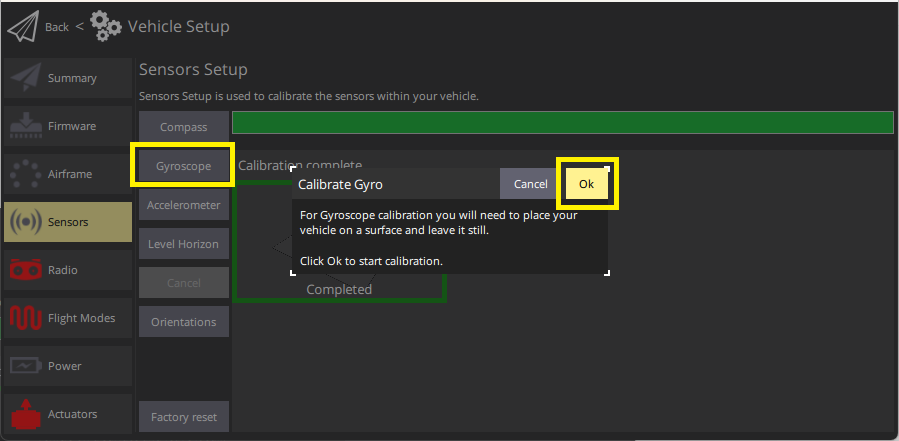
Click the Gyroscope sensor button.
-
기체을 평탄한 곳에 놓습니다.
-
Click Ok to start the calibration.
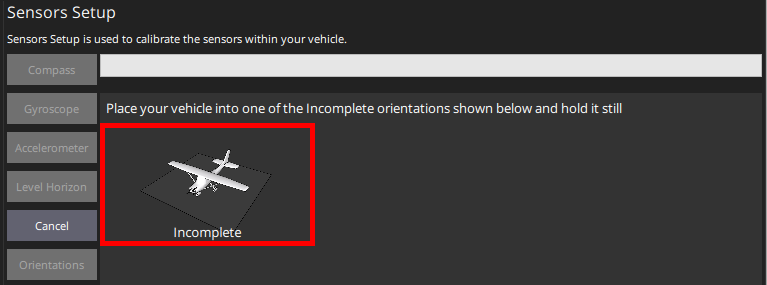
상단의 Progressive Bar에서 진행 상황을 나타냅니다.
-
When finished, QGroundControl will display a progress bar Calibration complete

:::info If you move the vehicle QGroundControl will automatically restart the gyroscope calibration. :::